01Describe the next change
Prompt
Give your agent a task. Keep the relevant code close.
URXR One · Vibe coding workspace
Room for your AI agent, editor, and preview.
Powered by the laptop you already use.
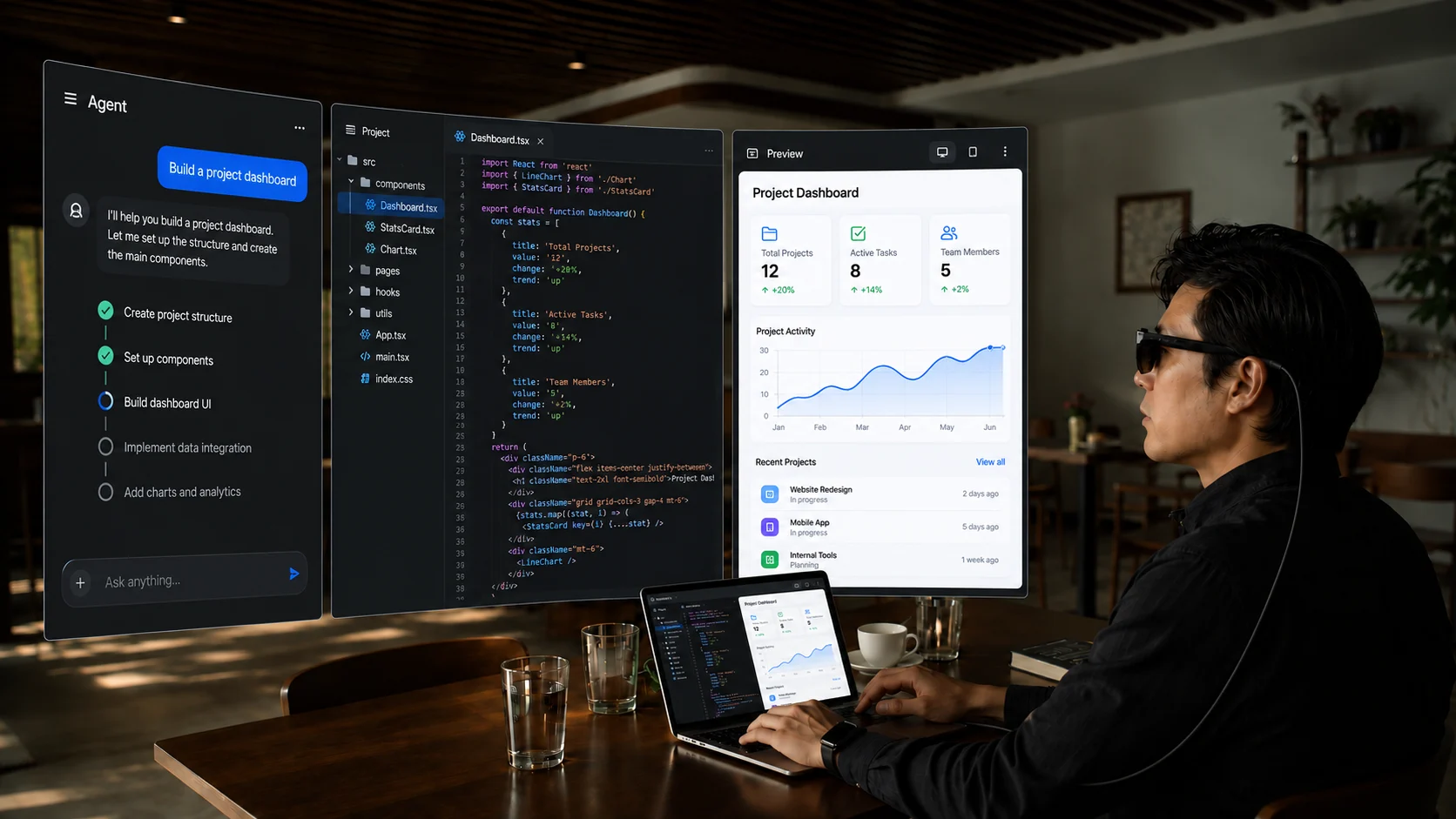
A little more room to build
Your tools run on your laptop. URXR One provides the display space.
Give your agent a task. Keep the relevant code close.
Read the diff. Check the details before moving on.
Open the result. Test, adjust, and keep building.
In Direct mode, arrange application windows inside one external display. Independently positioned virtual screens require URXR Connect.
Choose your workspace
Direct mode
Plug into a compatible laptop and bring your normal desktop into view. Keep using the keyboard, trackpad, and apps you know.
URXR Connect · Planned
Build a multi-screen workspace with virtual displays, an ultra-wide canvas, and hand-gesture control through the companion app.
Release plans, not a statement of current app availability. Choose based on the features you need today.
Make space for your work
A wearable display goes where a second physical panel does not easily fit.
Keep your setup from depending on room for another physical monitor.
Bring a familiar display setup to a different desk, with your own laptop.
Carry your display with your laptop. Leave room in your setup for the way you work.
Before you plug in
Check the port, the power, and the mode you want to use.
Your AI tools, editor, and development environment run on your laptop. URXR One provides an external display over USB-C DisplayPort Alt Mode. It does not run the AI itself or require a special integration with your coding tools.
No. Direct mode supports native 3DoF and 6DoF tracking on the glasses. For 6DoF, the connected USB-C source must supply at least 15 W to the glasses. A laptop charger’s rated wattage is not the same as its USB-C port’s accessory power output.
Multiple virtual screens require URXR Connect. Windows is planned for November 2026; Mac follows Windows, with its date to be announced. Direct mode provides one external display, where you can arrange multiple ordinary application windows. The two modes are different.
A compatible laptop with sufficient USB-C video and power output can connect directly. Phone use requires the Power Hub. It is planned for December 2026 and currently costs $69, with a future price of $99. The price-change date has not been announced. iOS and Android apps are also planned for December 2026.
Readability depends on fit, vision, font size, scaling, and screen position. Adjust these for your own setup rather than shrinking text to fit more windows. Per-eye panel resolution alone does not guarantee a comfortable reading experience. Start with the Direct Mode Guide for a practical setup checklist.
Your laptop. More room.
URXR One · $999
The Kickstarter campaign has ended. Late pledges are open.