Most asked
- What devices does it work with?Compatibility
- Travel & on-the-go: planes, trains, cars?Use cases
- What is the companion app, and is it an OS?Software
- What exactly is URXR One?What is URXR One
- Are URXR One VR glasses?What is URXR One
- Does it have 3DoF or 6DoF? Is tracking on-device?Hardware
- How do I control it (hands, buttons, audio)?Hardware
- Gaming: Steam Deck, handhelds, consoles, VR?Use cases
What is URXR One
URXR One is a pair of lightweight, 93-gram spatial display glasses. Plug them into a USB-C device and a large, spatially-locked screen appears in front of you, while the open sides keep your view of the real world. There is no built-in battery or computer; the device you plug into provides the picture and the compute.
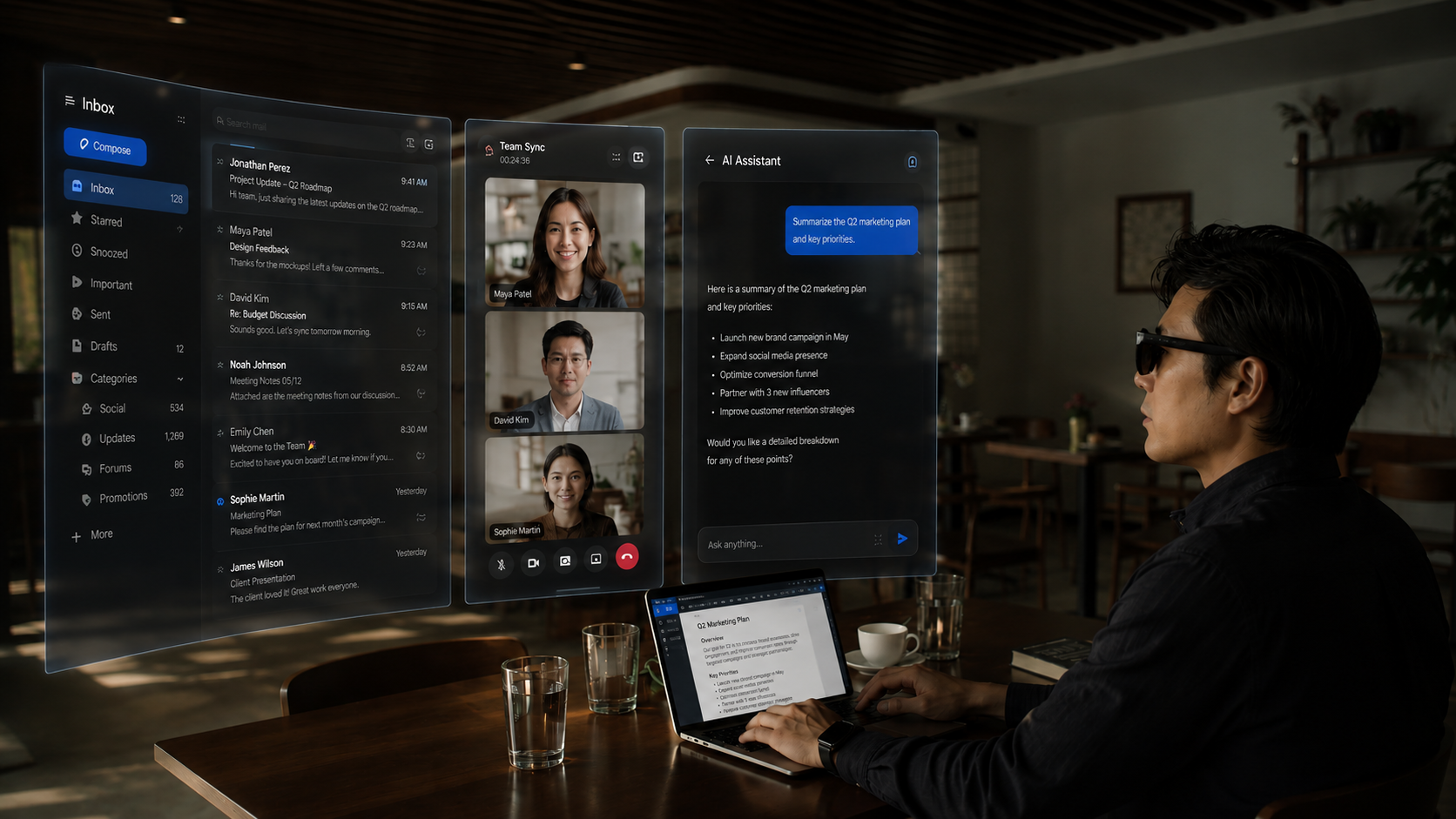
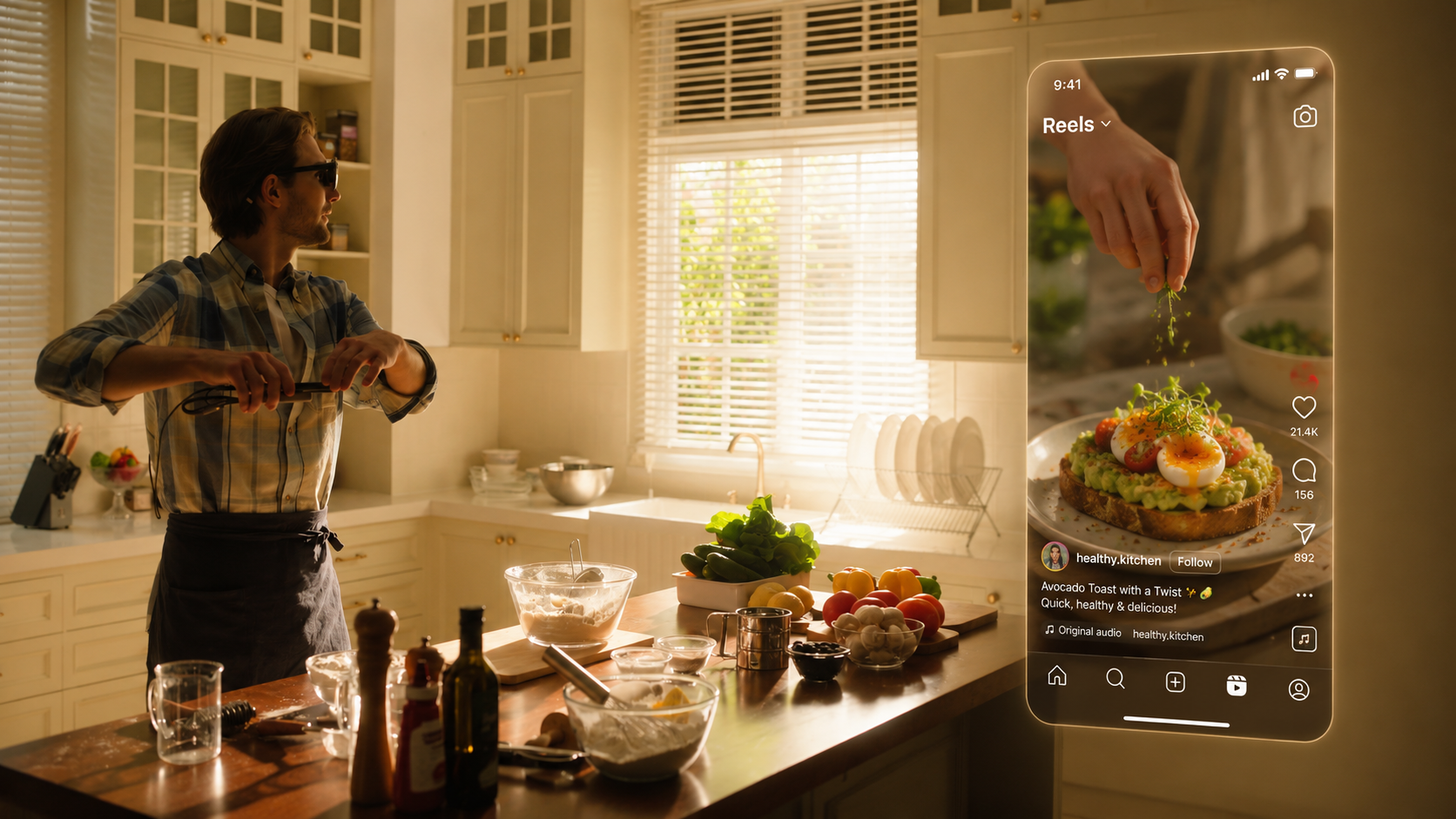
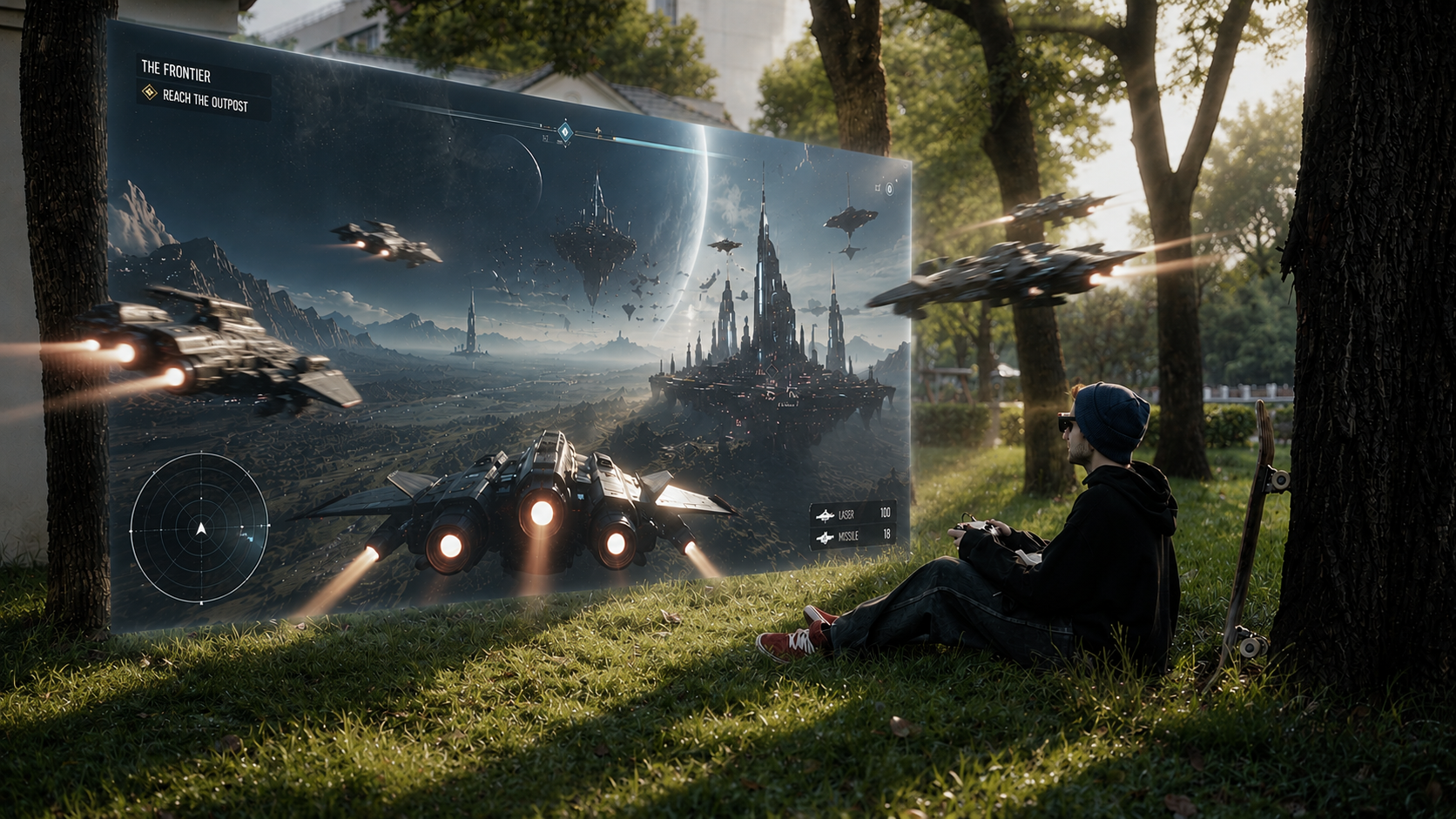
Every device makes a tradeoff. Lightweight glasses keep the comfort but give up a lot of resolution and field of view. Full headsets have the big resolution and FOV numbers, but they are heavy and not tuned for everyday use, so reading documents and small text is not as crisp as it looks. URXR One is built to stay sharp for everyday text in a frame you can wear all day.
| Glasses | Weight | Resolution & FOV | Everyday docs & small text |
|---|---|---|---|
| URXR One | 93 g | 5K dual-eye, 90° FOV | Sharp at 36 PPD |
| Lightweight AR glasses | 75-90 g | Lower res, narrow FOV | Limited |
| VR & Vision Pro | 300-600 g | High res, wide FOV | Not tuned for all-day docs |
Yes and no, and the distinction is worth understanding before you buy. URXR One is commonly called VR glasses because it is a glasses-shaped device with full-colour video see-through that can fill your field of view, and because it does 6DoF spatial tracking like a headset does. But it is not a standalone VR headset: there is no computer and no battery inside, so it cannot run VR apps or games on its own, and SteamVR is not supported at launch.
What it actually is: a 93-gram display you plug into a laptop, Mac, phone, or handheld over USB-C. If you want room-scale VR gaming, a standalone headset is the right tool and we would tell you so. If by VR glasses you mean a lightweight wearable screen with real spatial tracking and passthrough, that is exactly what URXR One is built to be.
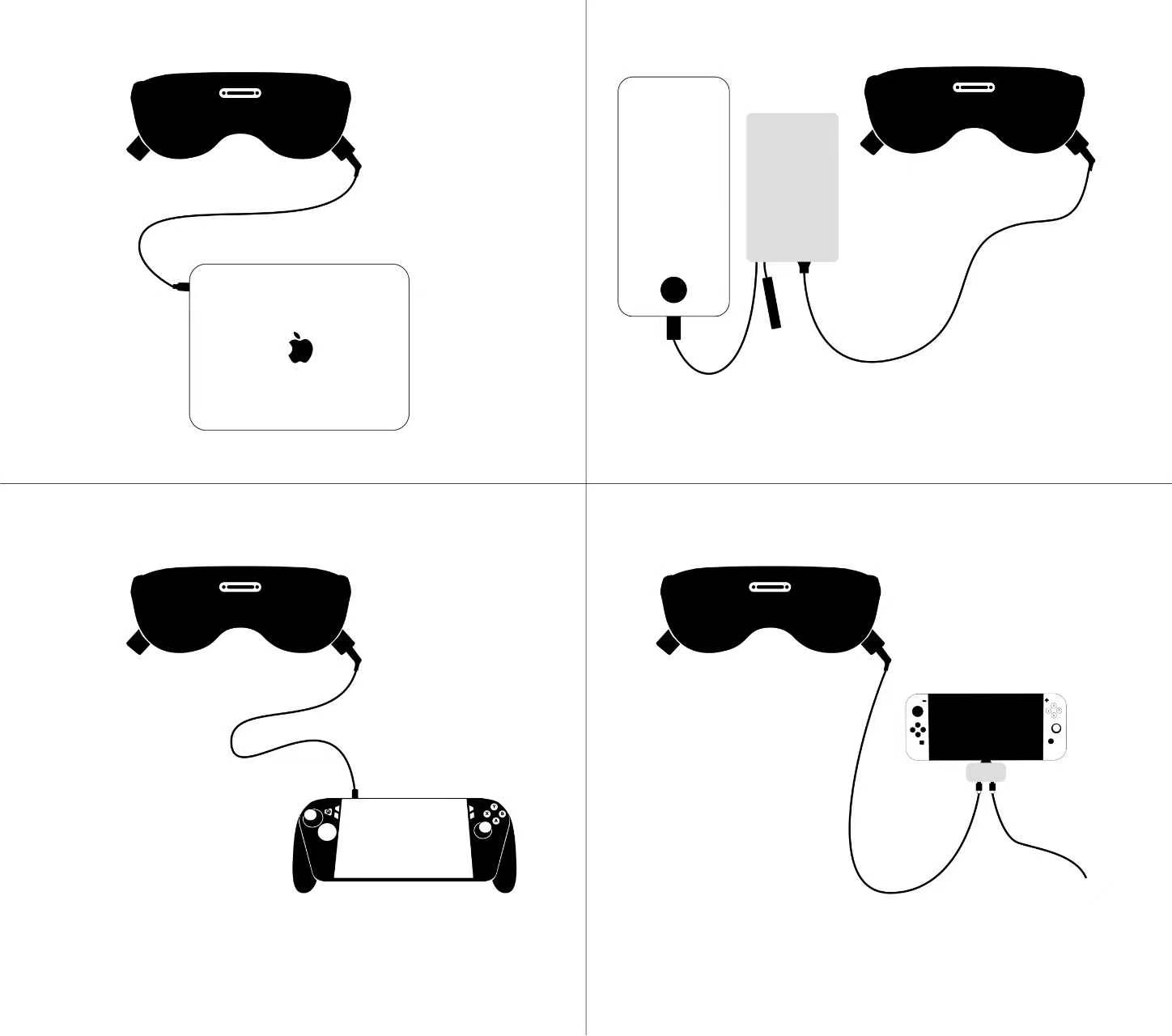
No separate compute puck ships with this product. The setup is simply glasses + your device, connected by a single USB-C cable (the device must support DP Alt Mode video out). For phones, which can't reliably power the glasses on their own, you add the optional Power Hub, which feeds both power and the video signal down one cable. Laptops and Steam Deck can drive the glasses directly without it.
What URXR One is best at
90° is the sweet spot: wide enough that you are not looking through a telescope, yet not so wide that it thins out pixel density. So the text right in front of you stays sharp and clear.
Lightweight AR glasses are too narrow; VR is wide but goes soft in the center. URXR One stays crisp across a wide 90° field at 36 PPD.
Plug into a laptop and one large screen appears in front of you, or open three virtual screens in Companion mode. It is a full workspace on a plane, in a coffee shop, or on the couch, without packing a single extra monitor.
At 36 PPD on Micro-OLED with pancake optics, fine print, spreadsheets, and code stay crisp. This is where lightweight AR glasses fall short, and where heavy headsets are not tuned for reading all day.
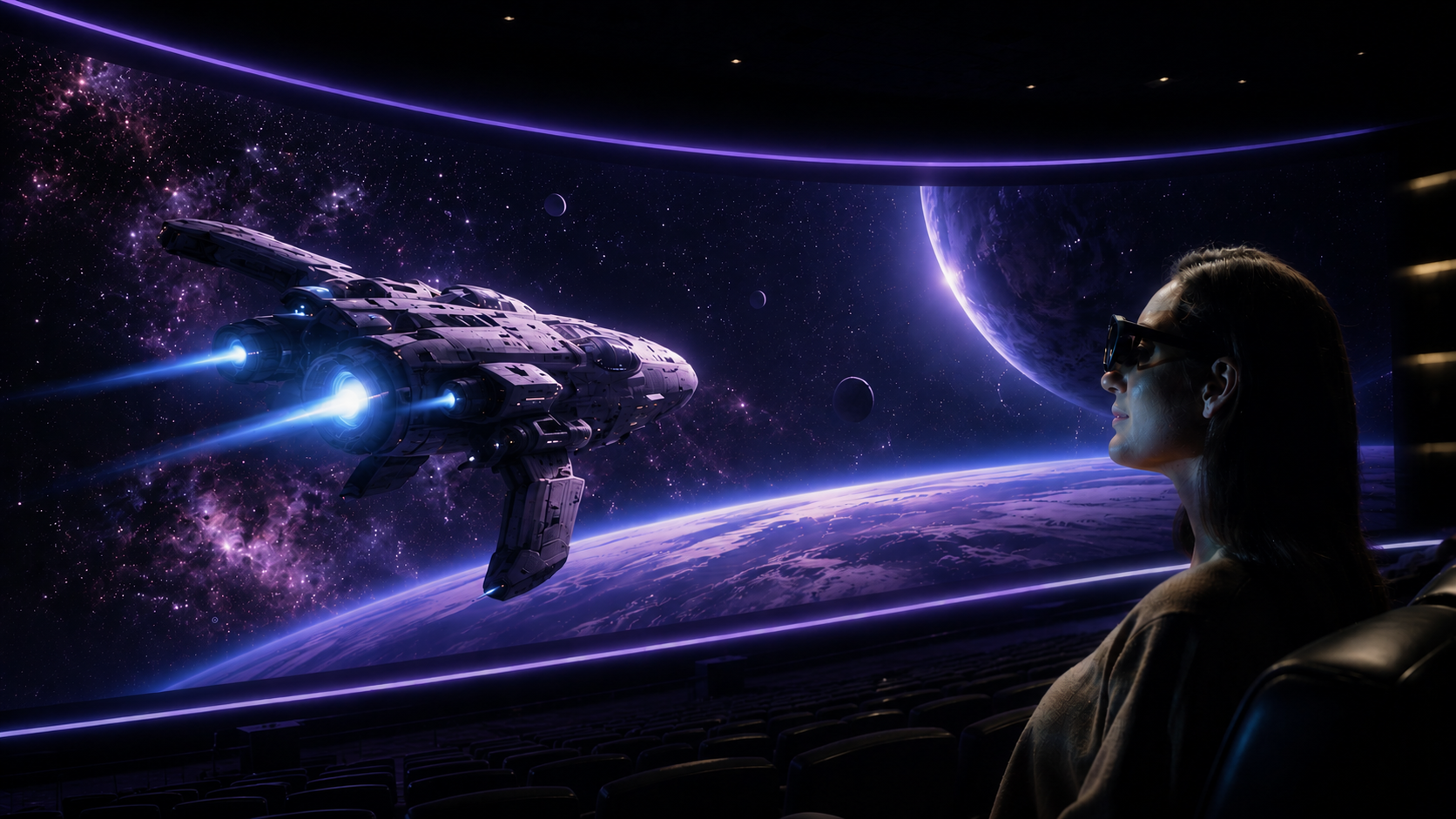
A cinema-sized private screen for video on any USB-C device, with a full immersive cinema environment in the companion app.
Plug in a Steam Deck, a Windows handheld, or a console and play on a large screen that stays locked in place instead of drifting as you move.
At 93 grams with open sides, you can wear it for hours and still see your keyboard, your coffee, and the people around you.
The two modes
| Mode | What you get | Needs |
|---|---|---|
| Direct (plug & play) | One large mirrored/extended screen, spatially locked, with passthrough. Four screen sizes (S/M/L/XL) via the physical button. | Any USB-C DP-Alt device. No app. |
| Companion (URXR Connect) | Triple+ virtual screens, ultra-wide / panoramic display, drag-and-pin windows, hand-gesture control, and full immersive environments. | Windows or Mac laptop at launch. Phone support from December 2026. |
Game consoles and handhelds (Switch, Steam Deck, ROG Ally, Legion Go) are Direct-only, so they can't install URXR Connect and have no triple-screen or gesture features.
Plug the glasses into any USB-C device with DP Alt Mode and they work as an extended display, mirroring or extending your screen as one large window, spatially locked in front of you, with passthrough. No app required. Switch between four screen sizes (S/M/L/XL) using the physical button. Every supported device gets Direct mode out of the box.
Run the URXR Connect companion app and your screens become spatial virtual windows floating in the room: place triple or more screens at once, go ultra-wide or panoramic, and grab, move, and pin them with your hands, plus full immersive environments. Companion mode runs on Windows and Mac laptops at launch, with phone support from December 2026. Consoles and handhelds can't install the app, so they stay in Direct mode.
Use cases
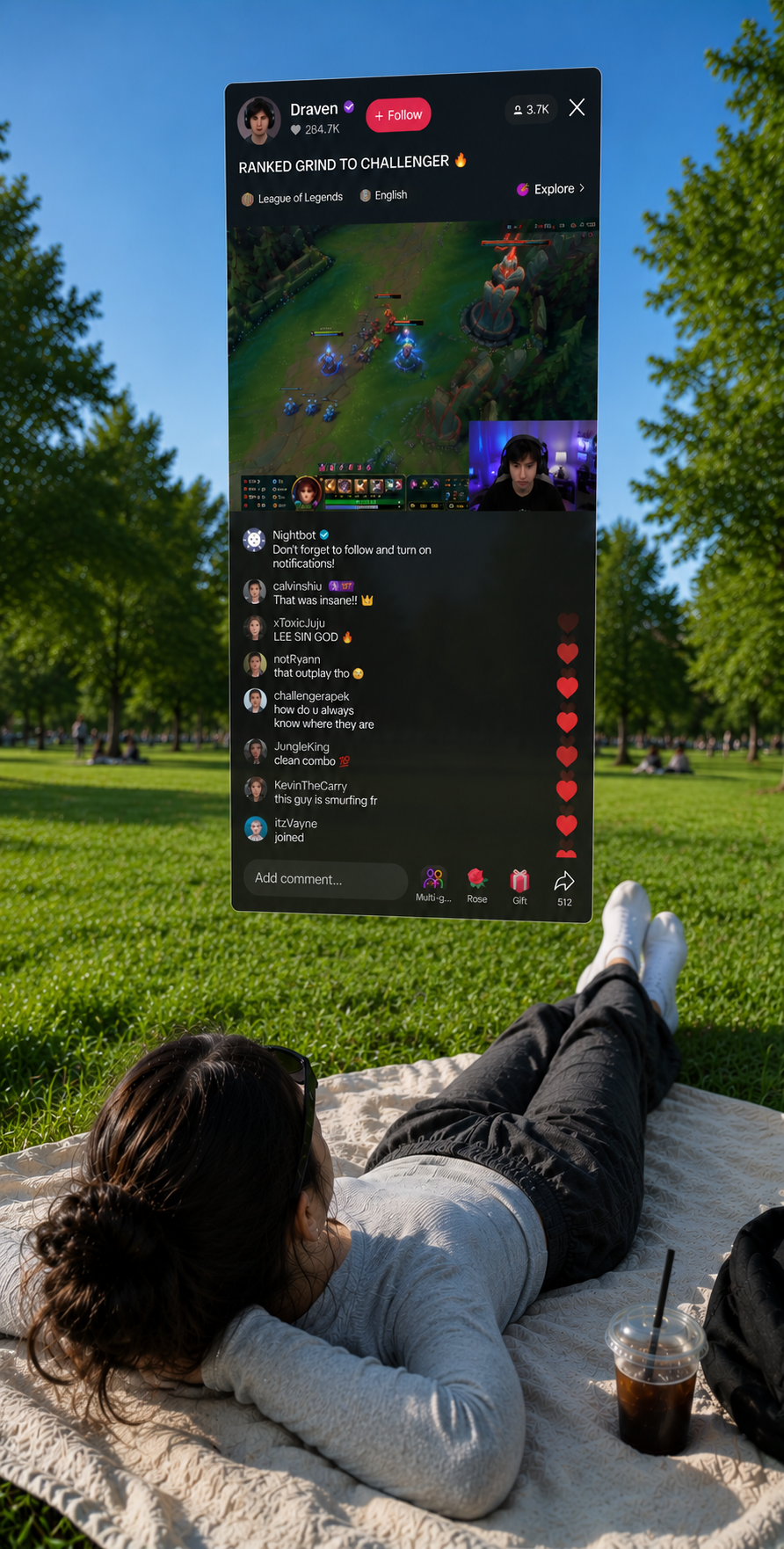
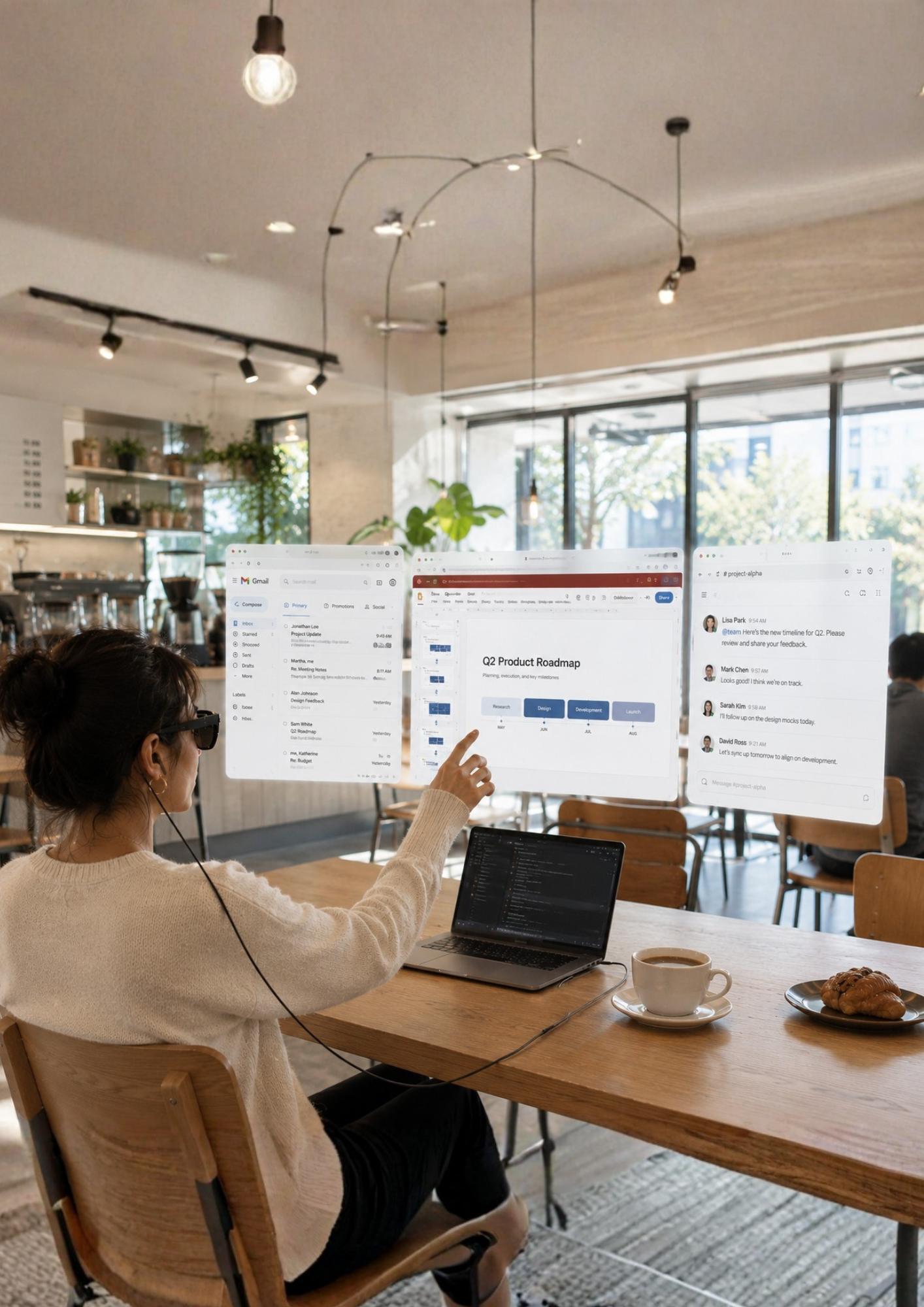
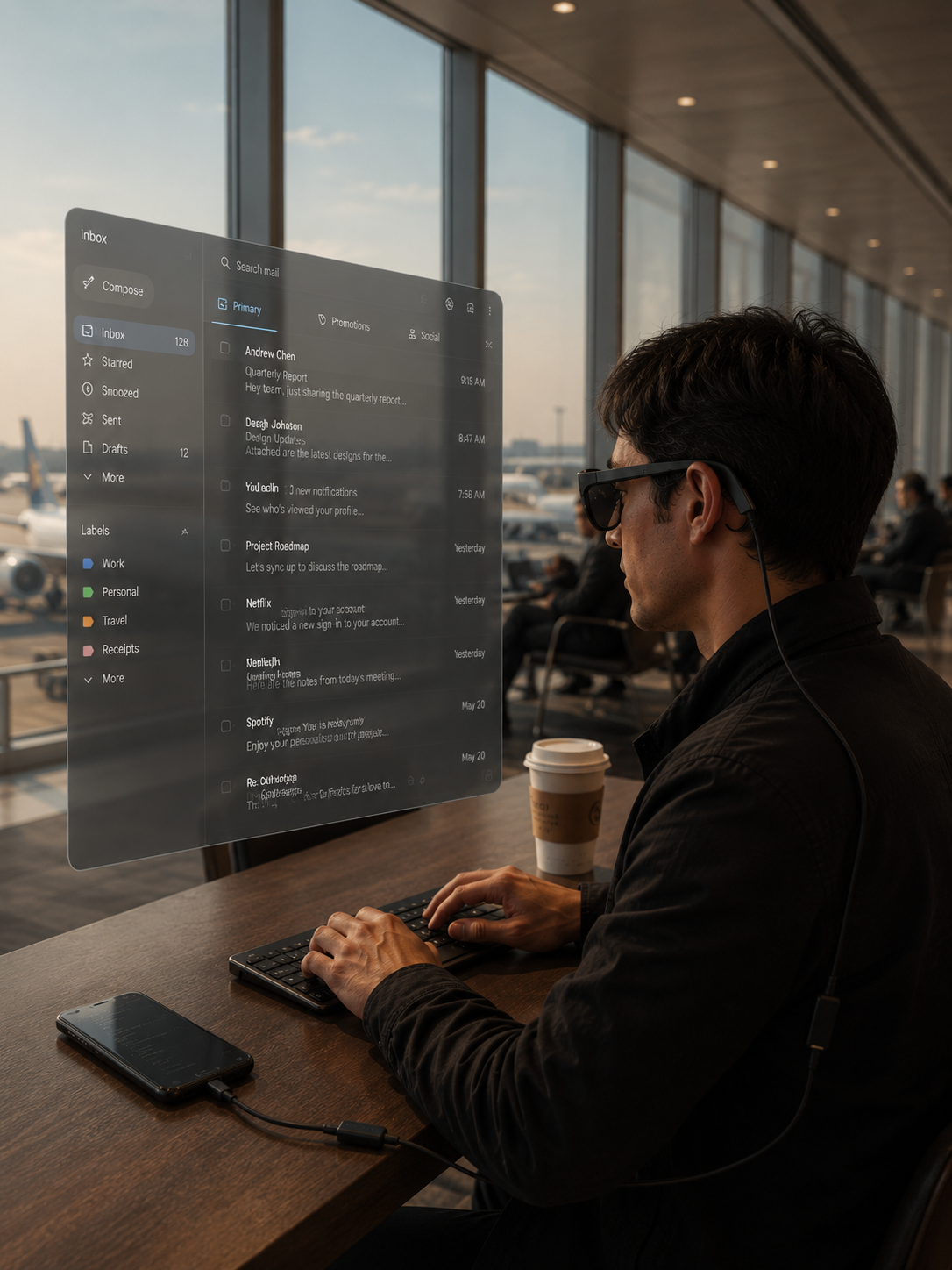
Yes, this is the flagship use case. With URXR Connect on a laptop you get a triple-screen workstation (or ultra-wide / panoramic) from a single USB-C port, with windows you can drag, resize and pin in space. You can run a Mac mini with no physical monitor at all. Text is sharp enough for coding and debugging in an editor. In Direct mode (any device) you still get one large screen in four sizes (S, M, L, XL), switchable with a physical button.
Big-screen video works on any connected device in Direct mode, a large screen floating in front of you that locks in place. With URXR Connect you also get full immersive cinema environments. With the open design and bright MicroOLED panels it's built for long, comfortable viewing; for total darkness, some users add a third-party light shield (not an official accessory).
For flatscreen gaming on Steam Deck and Windows handhelds it's plug-and-play in low-latency Direct mode, one big spatially-locked screen with four sizes (S, M, L, XL) adjustable from the buttons. Switch needs an adapter (see compatibility table). SteamVR / full VR gaming is not available at launch. The hardware can support it, but the software isn't ready yet.
A private big screen from a phone or laptop makes it strong for travel. Use the 3DoF follow mode (or the dedicated travel behavior) on a plane or in a car so the image stays comfortable as the vehicle moves. It's the lightest headset many users have tried, which matters for long wear. Note hand tracking degrades in very bright sunlight.
Hardware
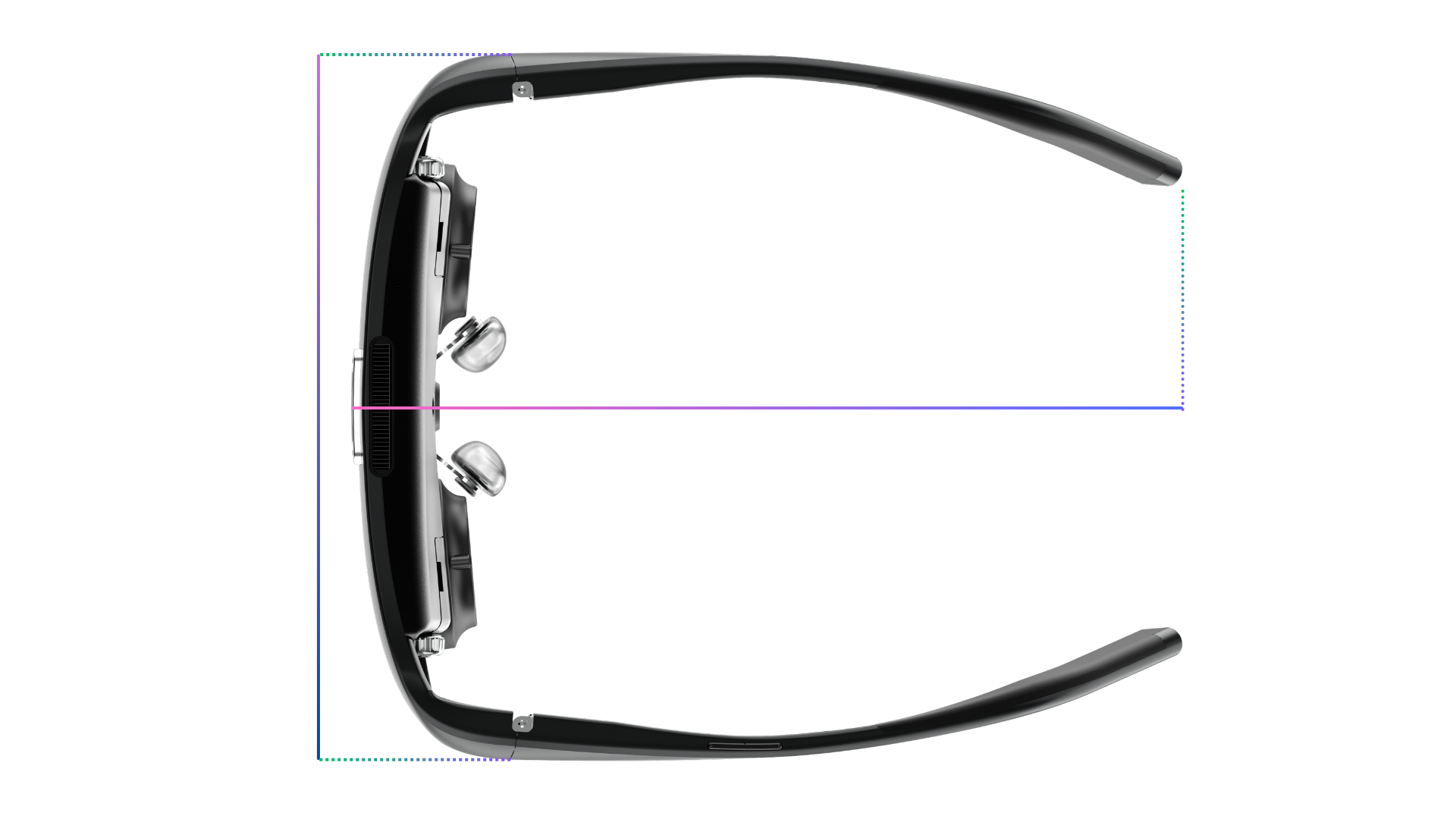
Unfolded, URXR One measures 150.01 mm (5.91 in) wide and 71.06 mm (2.80 in) tall, with an overall temple length of 170.83 mm (6.73 in). Folded, it measures 149.54 × 62.99 × 50.17 mm (5.89 × 2.48 × 1.98 in) and fits in the included case. Frame width stays essentially the same in both states; the folding comes from the temples collapsing inward.
| Measurement | Millimeters | Inches |
|---|---|---|
| Unfolded | ||
| Width (across the front) | 150.01 mm | 5.91 in |
| Overall height including temples | 71.06 mm | 2.80 in |
| Frame height | 58.12 mm | 2.29 in |
| Overall length (lens front to temple tips) | 170.83 mm | 6.73 in |
| Folded | ||
| Width | 149.54 mm | 5.89 in |
| Height | 62.99 mm | 2.48 in |
| Frame height | 58.12 mm | 2.29 in |
| Max thickness (depth) | 50.17 mm | 1.98 in |
| Inner thickness | 48.01 mm | 1.89 in |
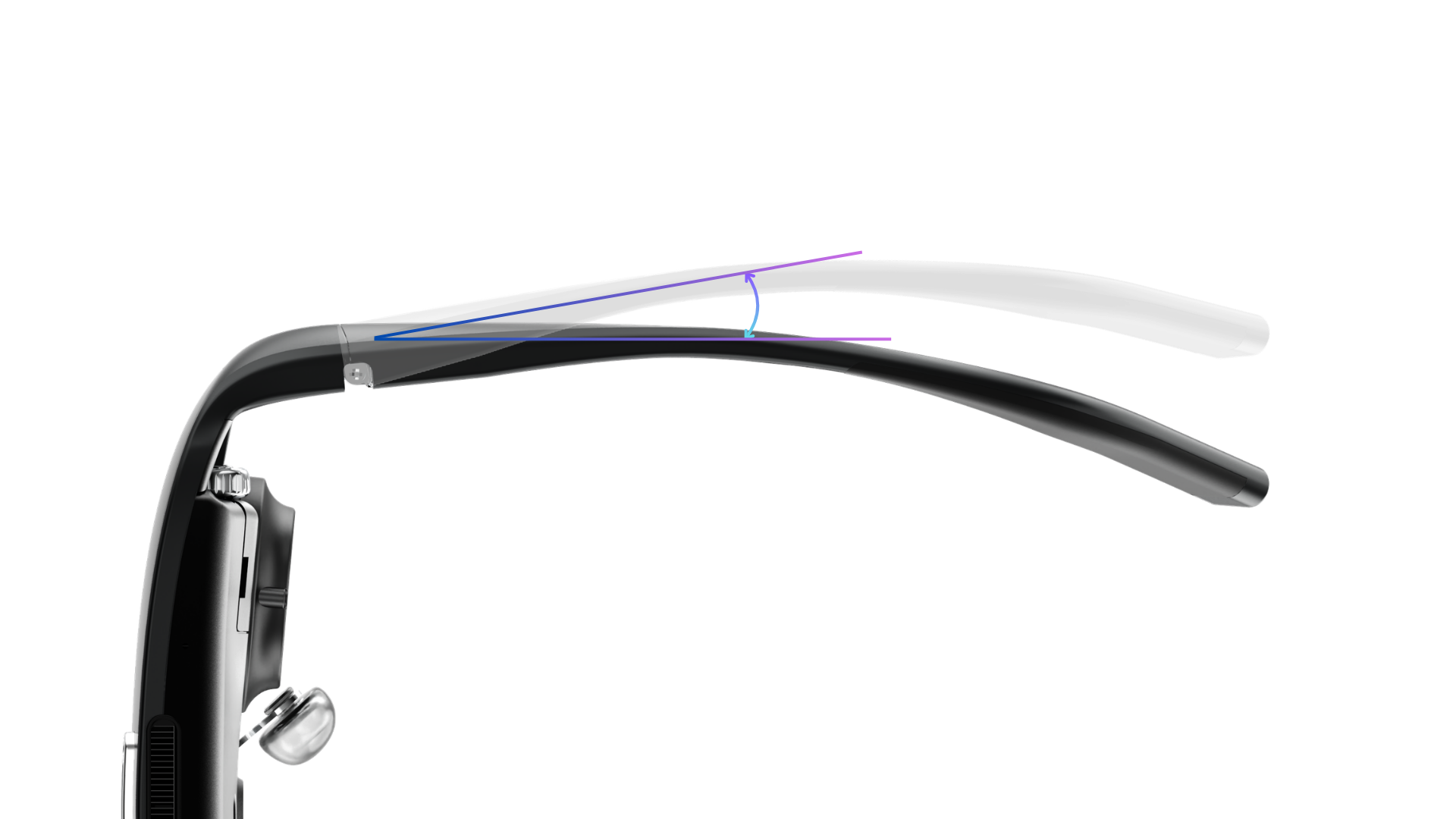
- Both temples are hinged and flexible. Each arm folds at a hinge at the front and springs outward past its neutral position, so instead of one fixed angle the frame flexes open to adapt to a range of head widths and grip gently rather than pinch.
3DoF works in Direct mode with no software at all. 6DoF must be activated through the URXR Connect companion app, but the tracking itself is computed on the glasses' own chip, so latency stays very low. 3DoF tracks head rotation from the IMU; 6DoF adds positional tracking via dual-eye SLAM plus a 1000 Hz IMU, with drift under 1 cm, so windows you place in mid-air stay locked even when you turn your head quickly.
There is no 0DoF "screen welded to your face" mode, because it makes most people dizzy. Instead there's a 3DoF follow behavior (the screen eases back to center after you turn), which is also what makes it usable on a plane or in a car.
- Hand tracking is built into the glasses. Using gestures to grab and move virtual windows requires URXR Connect, and it isn't available in plain Direct mode.
- Three physical buttons handle brightness, volume, and mode/size, so you can always control the glasses even without hand tracking.
- Audio: there are no built-in speakers. Sound comes from the device you plug into, so connect your earbuds or headphones to that host device rather than to the glasses. (There is a 4-mic array on board.)
- Low light / bright sun: there are no IR sensors, so in very low light it falls back to 3DoF and hand tracking won't work; bright direct sunlight also degrades hand tracking. The physical buttons still work in all cases.
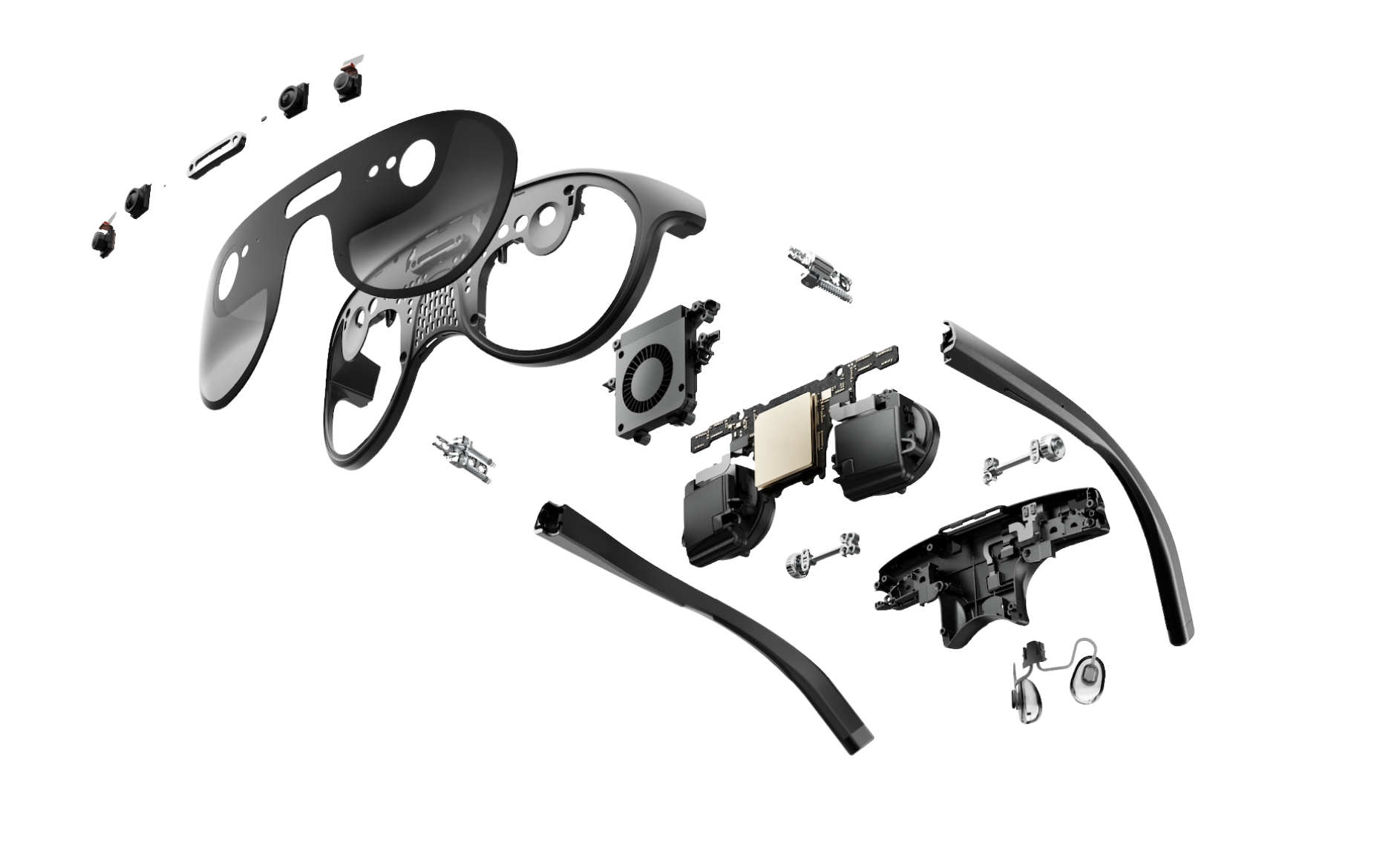
- Weight: 93 g, with the center of mass behind the nose bridge so it doesn't pinch.
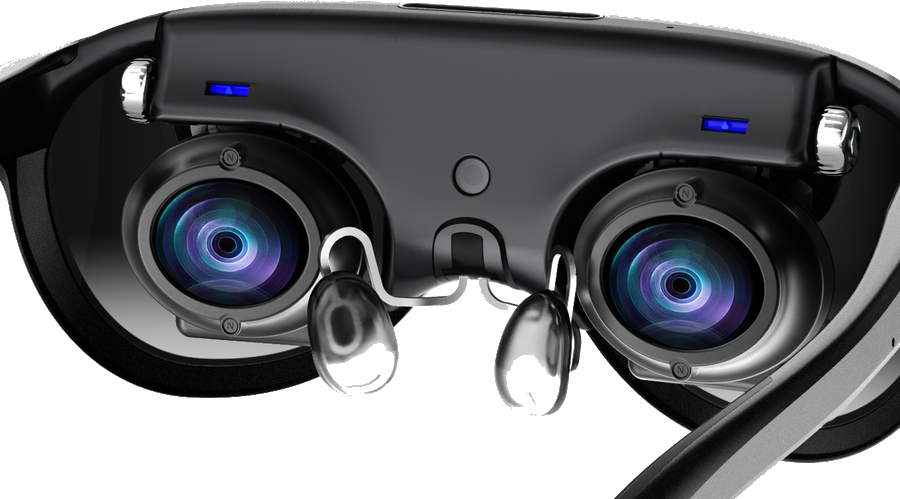
- IPD: manual adjustment, 58–68 mm range.
- Prescriptions: handled by HonsVR, our official prescription-lens partner. Backers order directly from the HonsVR site (separate from the Kickstarter pledge); ordering opens around mid-October 2026.
- Nose pads are adjustable for alignment; the temples (arms) are designed to be softer and more flexible than typical plastic frames. The arms are not user-replaceable (wiring and buttons run through them).
- Cooling: active cooling with a heat sink; fan noise is low and not very noticeable while worn. Comfortable for 2+ hours of continuous wear.
The glasses draw about 7 W with hand tracking off and up to 15 W peak with hand tracking / VST active. A laptop or Steam Deck powers them straight over USB-C. A phone can't sustain that, so phone use needs the Power Hub. You can keep a wall charger plugged into the Power Hub and use the glasses at the same time.
Battery runtimeExpect roughly 3 hours or more on the Power Hub, depending on what you run. A final, rated runtime number has not been published yet, so treat this as approximate.It depends on mode. Full 6DoF pulls over 8 W from the port; lighter modes draw less, so features scale to what your source can supply: a 15 W USB-C source (most laptop Thunderbolt or USB4 ports) gets everything, 6DoF and 1440p at 90 Hz; a ~7.5 W port (typical handhelds) runs Direct mode in 3DoF; phone ports (~4.5 W) can't drive the glasses alone. The included Power Hub is PD pass-through that powers the glasses while passing the DisplayPort signal, which is how phones get the full experience. Third-party hubs can work if they do proper PD pass-through plus full DP Alt Mode passthrough, but a cheap "splitter" without a real PD controller won't negotiate correctly, so stick to the Power Hub or a known-good full-featured dock.
No. The glasses only draw what the port offers and features scale to match, so there is no risk of overloading anything; worst case is a lower feature tier or a reconnect, never damage. The ASUS ROG Xbox Ally X has a USB4 port that can supply 15 W, so you get the full experience right off the port. The Steam Deck is rated around 7.5 W, good for 3DoF, but its delivery can sag under load, so we would recommend the Power Hub, which also takes the glasses off the Deck's battery.
The stated 58 to 68 mm is the distance between the optical axes, centred on 63 mm. Experience differs person to person; for reference, creators up to 72 mm are using it comfortably.
HonsVR is our official prescription-lens partner. Backers order directly from the HonsVR site, and ordering opens around mid-October 2026. See the first Kickstarter update on prescription lenses for details.
We do not recommend wearing the glasses on the road or while walking, for safety.
Compatibility
Check three things for any device: does it work, does it need an adapter or the Power Hub, and does it get Companion features (URXR Connect: triple screens, ultra-wide, gestures, immersive environments)?
| Device | Works? | Adapter / power | Companion (URXR Connect) |
|---|---|---|---|
| Windows / Mac laptop | Yes | Direct USB-C, no hub needed | Yes, at launch |
| Phone / tablet (USB-C DP-Alt) | Yes | Power Hub required | Later (phone app after launch) |
| Samsung phone (DeX desktop) | Yes | Power Hub required | Later (DeX shows as a Direct-mode screen; phone app after launch) |
| Steam Deck | Yes | Direct USB-C | No (Direct only) |
| Windows handhelds (ROG Ally, Legion Go) | Yes | Direct USB-C | No (Direct only) |
| Nintendo Switch | With adapter | Third-party adapter + Power Hub | No (Direct only) |
| PlayStation 5 / Xbox | Not yet | Under testing | No |
Direct mode means one large spatially-locked screen that works out of the box. Companion (URXR Connect) adds multi-screen, ultra-wide, hand gestures, and immersive environments. Any device needs a USB-C port with DP Alt Mode. The display accepts custom EDID, so it handles 16:9 and other aspect ratios.
Yes. In Direct mode the glasses present as a standard extended display, so they show whatever the phone outputs, including a Samsung DeX desktop, in both portrait and landscape. Connect the phone through the Power Hub (phones need it for power). DeX-specific behavior is still being tested, but as a plug-in display it works like any other USB-C DP-Alt source.
There is no compute puck in this product; the glasses run off the device you plug into. They connect to anything with USB-C DP-Alt, including a phone-style compute unit such as an INAIR Pod (essentially a phone without a screen). All third-party pucks are not officially supported or guaranteed.
Any device with a true USB-C DP Alt Mode port works, using the URXR One cable that comes in the box. We include the matching cable in the package, so you do not need to source your own. HDMI-to-USB-C adapters are not officially supported. The ones on the market rely on workarounds, so an adapter that works today can stop working after a firmware update. The team plans to share an unofficial, personally-tested list. Consoles such as the Switch need a powered adapter that splits power-in and DP-out (see the device table above).
Yes. 3DoF and 6DoF anchoring run on the glasses' own chip. Direct mode needs no driver, no install, and no admin rights, so a locked corporate machine just sees a standard external display while all spatial behaviour is handled by the glasses. The URXR Connect app is only needed for extras like the media player and multiwindow.
In Direct mode no driver or install is required: Windows sees a standard DisplayPort monitor over USB-C DP Alt Mode. The maximum is 2560 × 1440 at 90 Hz, which is 16:9, not 32:9 ultrawide. On a laptop you get that 1440p at 90 Hz as long as the port supplies 15 W; below about 7.5 W, 1440p auto-disables and the glasses fall back to 1080p.
DeX runs through bypass, so it uses the same EDID presets as the host. Other phones (for example Huawei, Honor, Xiaomi) work too, as long as they support DisplayPort Alt Mode and can supply sufficient power.
Display, clarity & FOV
- Per-eye resolution: 2448 × 2064 on a 1.03″ dual MicroOLED panel (marketed as "5K dual-eye / 2.5K per eye").
- Pixel density: 36 PPD (pixels per degree) at the center.
- Refresh rate: 90 Hz.
- Brightness: ~120 nits at the eye, adjustable with a physical button on the left temple.
- Optics: pancake lenses, near-zero distortion, virtual image focused at ~1.1 m.
The field of view is 90° diagonal (≈ 80° horizontal binocular × 56° vertical). In a triple-screen layout the experience is much like sitting in front of three physical monitors: the center screen sits fully in view and you turn your head slightly to take in the side screens. Roughly 1.5 screens'-worth of width is visible at once. The screens are anchored in space, so they aren't a single window clipped at the edges; a small head turn brings each one fully into view. A wider FOV feels more immersive but is harder to keep sharp, which is the trade-off behind the 36 PPD clarity.
Yes. URXR One uses Video See-Through (VST): outward cameras feed a live view of your surroundings into the displays at ~2.5K per eye (2328 × 1728), 72/90 fps, with end-to-end latency under 10 ms. The VST processing runs natively on the glasses' chip, so it stays fast whether or not you use the app. You can also turn the screens off entirely with one button for full clear see-through, and then they behave like ordinary glasses, while the open sides mean you always keep natural peripheral vision.
120 nits to the eye. There is no electrochromic dimming on URXR One. Because the panel is opaque, direct sunlight does not wash the image the way it washes a see-through overlay, so it stays readable outdoors. For why a 120-nit opaque display can look as bright as a much higher see-through number, see what are nits.
No. Micro-OLED response time is fast enough that we do not see persistence-style ghosting in testing, and there are no blurred image edges.
In 3DoF the screen stays anchored relative to your head; in 6DoF it stays anchored in the room. In 3DoF the plus and minus buttons cycle four presets (S, M, L, XL), each adjusting size and perceived distance together and tuned to keep the depth cues comfortable. In 6DoF you can also physically walk toward the screen and it scales like a real one.
Yes. In a dark environment 6DoF falls back to 3DoF; our test scenarios go down to around 5 lux. It is not purely about light level, though: the cameras need visible texture, so a dim room with patterned furniture holds up better than a brighter room with blank white walls.
Link bandwidth. URXR One runs DisplayPort over 2 lanes while the other two pairs carry USB 3 on the same cable, so full-native SBS (4896 × 2064 at 90 Hz, about 27 Gbps) is beyond 2-lane DP. At launch SBS is available in the URXR Connect media player; an over-the-air update after launch enables SBS in Direct mode, and the $1M stretch goal adds native SBS in Direct mode with the conversion handled on the glasses' chip.
It is not planned right now. There are good reasons to want one eye's view on both lenses, but the focus is making the already-promised features solid before adding new ones. It is noted for after launch.
Software
The software is the URXR Connect companion app, not a separate operating system. Tracking and see-through are computed natively on the glasses' own chip, which keeps latency very low; URXR Connect is what activates 6DoF and adds multi-screen, ultra-wide, hand gestures, and immersive environments on top. It ships on Windows and macOS first, with iOS and Android support following in December 2026. It does not support handhelds such as Steam Deck or ROG Ally, which are Direct mode only. It is not Android XR.
A developer SDK with access to the sensors and the passthrough feed is on the roadmap. All SDK details, including timing, scope, and documentation, will be announced in the November to December 2026 window. Until then nothing is locked, and the team is actively collecting developer feedback to shape it. If there's something you want to build, that input is welcome now.
Yes, at the hardware level. The in-glasses launcher shown in the demos is WebXR-based. Documented, supported developer access through these standards arrives with the SDK, in the November to December 2026 window.
Not available at launch. The hardware is capable of full VR, and SteamVR / PCVR is a software effort in progress. Its timing falls under the November to December 2026 SDK roadmap.
Yes. Hand tracking is functional and iterating weekly, and it works like a normal cursor, so you can interact with your screens, for example play and pause a video, as well as move and resize windows.
Yes, there is a virtual keyboard, using raycasting and pinch input.
The URXR Connect app is built on OpenXR, but OpenXR is not available to third-party developers at launch. SDK and third-party app support plans will be updated around November and December 2026, after current shipments are fulfilled.
Yes. The URXR Connect app will offer similar features, optimised for the phone experience. The iOS and Android apps arrive in December 2026.
You can take a screenshot with the URXR Connect app. Streaming a live mirror of what the glasses see onto a TV in the room is not available yet.
Availability, shipping & returns
The Kickstarter campaign ran from August 4, 2026 and closed funded at $1,288,712, more than 25 times its $50,000 goal. Late pledge is still open on the campaign page. Glasses ship in mid-October 2026. The optional Power Hub ships in December 2026 and is shipped separately.
The campaign ships to the US, Canada, the UK, the EU, Switzerland, Japan, South Korea, Singapore, Hong Kong, and Australia. Full list: US, Canada, Japan, South Korea, Singapore, Australia, Hong Kong, the EU (Austria, Belgium, Bulgaria, Croatia, Cyprus, Czechia, Denmark, Estonia, Finland, France, Germany, Greece, Hungary, Ireland, Italy, Latvia, Lithuania, Luxembourg, Malta, the Netherlands, Poland, Portugal, Romania, Slovakia, Slovenia, Spain, and Sweden), the UK, and Switzerland.
URXR One is priced at $999. The Power Hub is a $69 add-on, available from December 2026. Custom prescription lens inserts are available at an additional cost from HonsVR, our official prescription-lens partner, ordered separately from the HonsVR site; ordering opens around mid-October 2026.
Returns within 30 days of receiving the product. Return shipping is free with a prepaid label for the US and Canada; customers in all other regions pay return shipping. Each unit ships with a warranty card.
Yes. Every unit goes through outgoing quality control (OQC) before shipping, a full functional test that includes the ambient light sensor. Prototypes go through the same test; the difference is that in production a unit that fails OQC does not ship.
We are actively working on expanding to more regions. Updates go out via Kickstarter, email, and Discord as regions are added.
Glossary
Plain-language definitions for the screen, resolution, and tracking terms used across this page.
Tracking & motion
3DoF (three degrees of freedom)
Tracks rotation of your head (pitch, yaw, roll), but not how you move through space. Good for a fixed screen that follows your gaze.
6DoF (six degrees of freedom)
Adds position (moving forward/back, left/right, up/down) on top of rotation. Lets virtual windows stay anchored in the room as you walk around them. On URXR One this runs on-device via dual-eye SLAM plus a 1000 Hz IMU.
0DoF
No tracking. The image is welded to the display and never moves. URXR One does not offer this; it tends to cause dizziness. A 3DoF "follow" mode is used instead.
Follow mode
The screen lags slightly behind your head and eases back to center, instead of being perfectly fixed. More comfortable, and useful in moving vehicles.
SLAM
Simultaneous Localization and Mapping, how cameras and sensors figure out where the device is in a space, enabling 6DoF and stable anchored windows.
IMU
Inertial Measurement Unit, the accelerometer and gyroscope that sense motion and rotation. URXR One samples at 1000 Hz for low-latency tracking.
Display & optics
FOV (Field of View)
How much of your vision the image fills, in degrees. Often quoted as a diagonal. URXR One is 90° diagonal (≈80°H binocular × 56°V). A wider FOV feels more immersive but is harder to keep sharp.
PPD (Pixels Per Degree)
Angular sharpness: pixels divided by the degrees they cover. URXR One ≈ 36 PPD (2448 px ÷ ~70° horizontal, per eye / monocular). Always read PPD together with FOV. High PPD across a wide FOV is the hard part. ~60 PPD is considered "retinal."
VFD / Virtual image distance
How far away the image appears to focus, regardless of how big it looks. Glasses like these focus around 1 m / ~3 ft. (Larger quoted "focal distances" are usually a vergence illusion, not true focus.)
IPD (Interpupillary Distance)
The distance between your pupils. The optics must match it for a clear, comfortable image. URXR One adjusts manually across 58–68 mm.
MicroOLED
A tiny, very high-density OLED panel (here 1.03″ per eye), the display tech that makes per-eye 2.5K possible in eyewear.
Pancake lens
A compact folded-optics lens that shortens the path between panel and eye, keeping the glasses thin and light with low distortion.
Nits
A measure of brightness (luminance). For enclosed/near-eye viewing, ~120 nits at the eye is comparable to other immersive headsets.
VST (Video See-Through)
You see the real world through outward-facing cameras rendered on the displays (vs. OST, optical see-through, where you look through transparent glass). VST enables higher-quality blending of real and virtual and is what URXR One uses.
Connection & power
DP Alt Mode (USB-C)
"DisplayPort Alternate Mode," the ability of a USB-C port to output video. A device needs this to drive the glasses. Not every USB-C port has it.
EDID
The handshake data a display sends a source to declare what resolutions/aspect ratios it accepts. URXR One supports custom EDID, so it can present widescreen and other formats.
Power Hub
URXR's optional accessory that carries both power and the video signal to the glasses over one cable. Required for phone use, optional for laptops/Steam Deck.
Modes & software
Direct mode
Using the glasses as a plain extended/mirrored display without the companion app. Works on most USB-C DP-Alt devices. (Formerly called Bypass mode.)
Companion mode
The full spatial experience (multi-screen, ultra-wide, hand gestures, immersive environments), powered by the URXR Connect app. Windows & Mac first.
URXR Connect
The official companion app that turns on Companion mode. Windows & Mac at launch, phone later.
OpenXR / WebXR
Open standards for XR apps (native and in-browser). URXR One's hardware supports both; its demo launcher is WebXR-based.
No questions match your search. Try a different keyword.