A Discord Member Met Me in Taipei and Tested URXR One All Afternoon. Here Is His Review, Unedited.
Our founder posted a photo from Taipei on Discord. A member asked to meet, we met the same day, and he spent an afternoon testing URXR One against four of his own devices. His full write-up is republished here with his permission, including the device that did not work.
This is a hands-on review of URXR One written by someone who does not work for us: a Discord community member in Taipei who spent an afternoon testing a pre-release pair against four devices he brought himself. It is republished below in full, with his permission and without edits, including the part where his own phone did not work. I am Edward Zhou, founder of Unseen Reality, and everything outside the marked review section is me.
How the meeting came about, the limits of the session, and why we chose to publish the failures are all at the end of this page. His review comes first, in his words.
Everything from here to the end of “Final Thoughts” is zoo6227’s review, reproduced in full and unedited. The headings, wording, and photos are his. — Edward
URXR One Hands-On Experience and Device Compatibility Test
I recently had the opportunity to try the URXR One ahead of its official release. I tested its display quality, VST passthrough, 3DoF tracking, and compatibility with several devices I had with me.
Quick Summary
- The VST passthrough looked surprisingly natural and had very low perceived latency.
- The virtual screen is larger than the one on my XREAL Air 2 Ultra.
- 3DoF tracking made the screen feel naturally anchored in space.
- Most of the devices I tested worked with little or no additional setup.
- My Xiaomi 15 Ultra had stability issues, possibly related to power delivery or EDID handling.
- Only bypass mode was tested during this hands-on session.
I’ll share the detailed results below.
Display and Overall Experience
The display quality of the URXR One was genuinely impressive, especially the VST passthrough. When I first put it on, the passthrough view looked so natural that I almost felt as though I were simply wearing a pair of thick-framed glasses. Another highlight was the very low perceived latency. Aside from phone screens appearing somewhat blurry through the passthrough view, I felt that I could comfortably keep wearing the glasses for an extended period. At the largest display size, the virtual screen covered a wider field of view than what I normally get with the XREAL Air 2 Ultra, and the colors also looked softer and more comfortable. With 3DoF tracking, the virtual screen could remain anchored in a fixed direction, making it feel as though it were genuinely floating in space. The experience reminded me somewhat of the Quest 3, but the URXR One was much lighter and its passthrough view responded more naturally to head movement.
Test Scope
The devices I tested included:
- GPD Pocket 4
- Lenovo Legion Y700 4th Gen
- XREAL Beam Pro
- Xiaomi 15 Ultra
- Two HDMI-to-USB Type-C adapters
Because only a limited number of laptops at the demo site had URXR Connect installed, I was only able to test bypass mode with 3DoF and a single virtual screen. In the results below, “No issues observed” means that the glasses started normally, the image did not flicker, and YouTube video playback worked during my brief test.
"The virtual screen is larger than the one on my XREAL Air 2 Ultra."
Device Compatibility Results
GPD Pocket 4
Specifications: Laptop, AMD Ryzen AI 9 HX 370, Windows 11
Result: No issues observed
- Video output worked through the USB4 port.
- No external power was required.
- Both mirrored and extended display modes worked normally.
- Resolution switching was smooth.
Lenovo Legion Y700 4th Gen
Specifications: Tablet, Android 16, Snapdragon 8 Elite
Result: No issues observed
- Video output worked through the USB3 port.
- No external power was required.
- Both mirrored and extended display modes worked normally.
XREAL Beam Pro
Specifications: XREAL’s spatial computing device, Android 14
Result: No issues observed
- Video output worked when connected directly to the glasses.
- No external power was required.
- Screen mirroring worked normally.
- When used with non-XREAL glasses, the Beam Pro supports screen mirroring only.
"The experience reminded me somewhat of the Quest 3, but the URXR One was much lighter and its passthrough view responded more naturally to head movement."
Xiaomi 15 Ultra
Specifications: Smartphone, Android 16, Snapdragon 8 Elite
Result: Could not be used reliably during my test
When connected directly through USB, the glasses repeatedly turned on and off. This may have been caused by insufficient power. I also tested an adapter that separates power delivery from video input. Screen mirroring could start normally, but interacting with the phone — such as playing a YouTube video, rotating the phone, or reopening the browser — caused the image to go black and the glasses to reboot repeatedly. The same adapter worked normally with Dr.D’s iPhone.
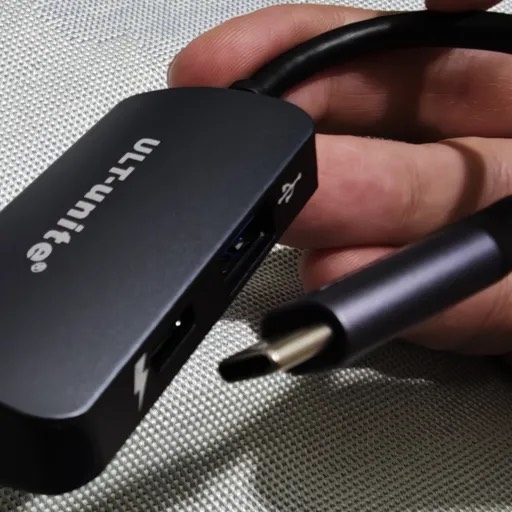
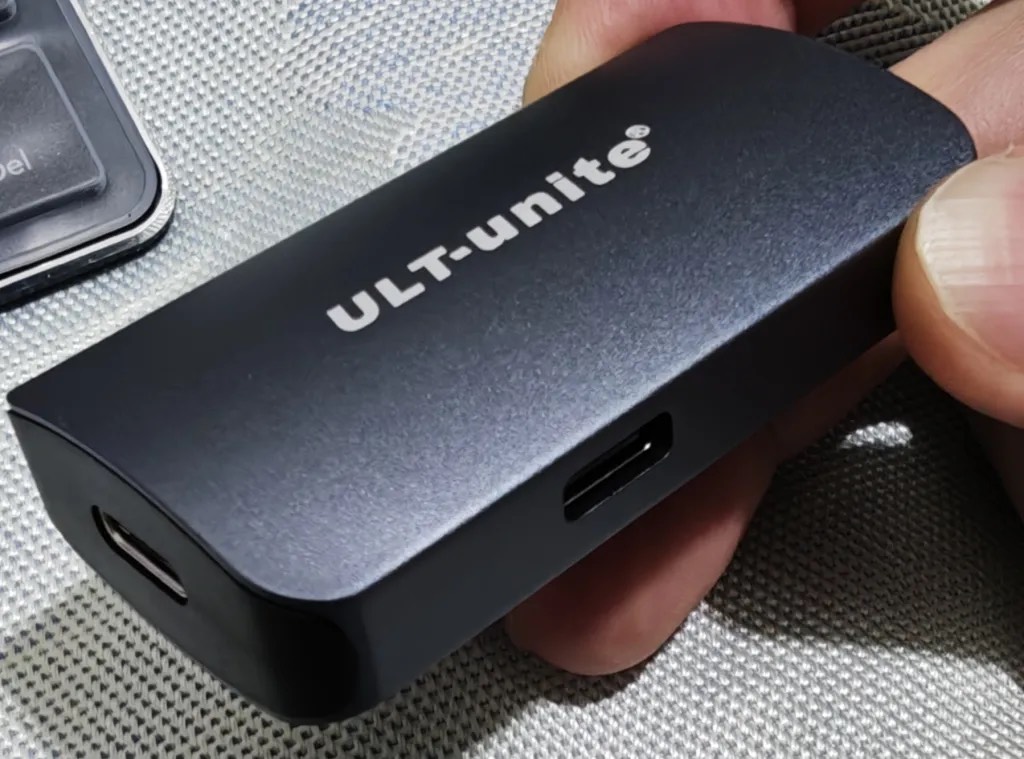
The adapter that separates power delivery from video input, tested with the Xiaomi 15 Ultra.
I also tried the other adapter shown below, but the same issue occurred. The issue may be related to power delivery, EDID handling, or the interaction between the phone and the glasses. This is only my current observation, not a confirmed diagnosis. For comparison, the Xiaomi 15 Ultra worked normally with my XREAL Air 2 Ultra and a 15.6-inch USB-C portable monitor. I plan to test it again after URXR’s official Power Hub becomes available.
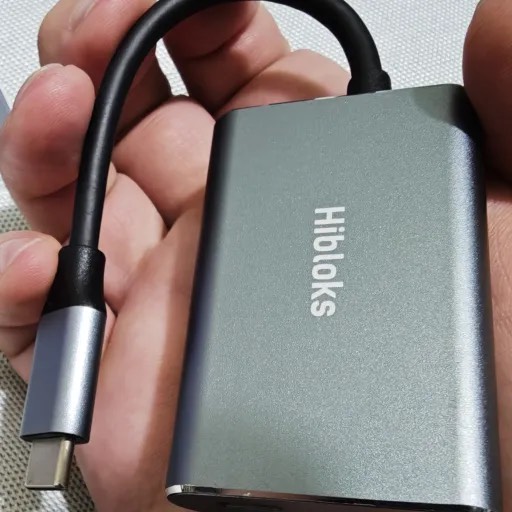
The second adapter, which produced the same result with the phone.
HDMI-to-USB Type-C Adapter Tests
Adapter 1
Result: Worked
Video output worked normally. However, switching resolutions took longer than it did over USB4. The image first went black and then remained on the URXR logo for a short time.
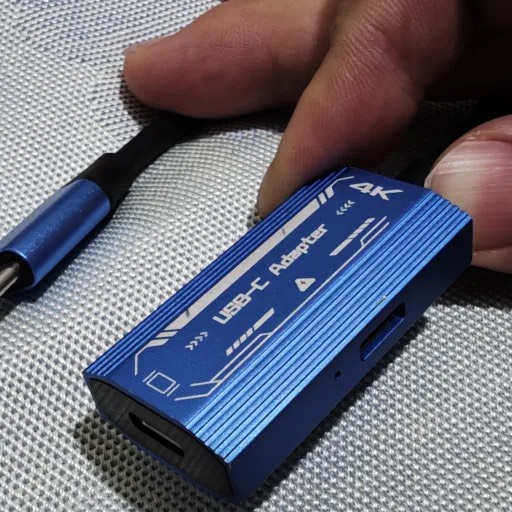
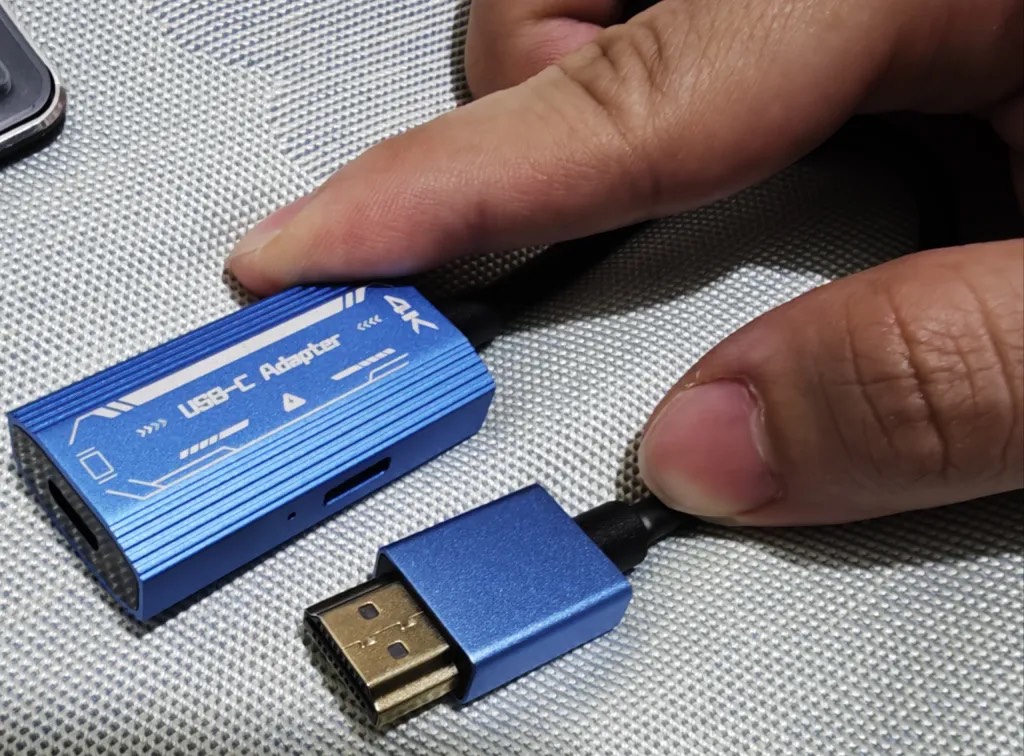
Adapter 1, which drove the glasses without trouble apart from slower resolution switching.
Adapter 2
Result: Could not be used normally
The URXR logo flashed briefly and the glasses then rebooted. In hindsight, this may also have been related to insufficient power. Since the first adapter was already working, I did not continue testing the second one. It may be worth trying again with power supplied by a power bank.
Final Thoughts
Although my primary phone currently appears to have limited compatibility with the URXR One, the issue is still within an acceptable range for me. Almost every other device I tested worked with little or no additional setup, so I still consider the URXR One a highly practical pair of portable XR glasses. Personally, I am already certain that I will buy a pair once it becomes available.
I feel very fortunate, and I am sincerely grateful to Dr.D for taking the time to give me this opportunity to experience the URXR One ahead of its official release. After this hands-on session, I am looking forward to the launch even more. Since the full capabilities of the glasses require URXR Connect, I am also eager to experience everything the URXR One can do once the companion app is available. I hope — and believe — that the URXR One will not only bring more convenience and enjoyment to everyday life, but also fit naturally into it. Thank you again, Dr.D, for the opportunity!
How this review happened
Back to me. That is his write-up in full, and here is the background I kept out of the way so his notes could come first.
I was in Taipei for demos and I posted a photo from the city in our Discord, the way I usually do. Within a few minutes a member called zoo6227 replied asking whether there was any chance to see the glasses in person while I was in town. There was, so we arranged it for the same day.
He did not show up empty-handed. He brought a GPD Pocket 4, a Lenovo Legion Y700 tablet, an XREAL Beam Pro, his daily-driver Xiaomi 15 Ultra, and two HDMI-to-USB-C adapters, and he worked through all of them methodically. He already owns a pair of XREAL Air 2 Ultra, so he had a real reference point rather than a first impression of the category.
A few days later he posted a detailed write-up in our Discord. I asked if we could republish it on the site, he said yes, and here it is. I have not softened it and I have not cut the failure. A review that only contains the good parts is not worth reading, and it is not worth publishing either.
What this review does and does not cover
Three limits are worth stating, because they change how much weight the results deserve.
Our demo setup was not with us. I was in Taipei between demos and the demo devices were at another location that day, so we worked with the glasses and whatever hardware he had carried with him. That is why the test is built entirely around his own laptop, tablet, phone, and adapters rather than around a prepared demo station.
Only Bypass mode was tested. URXR One runs two ways. Bypass mode (also called Direct mode) is plug-and-play over USB-C and gives you one large virtual screen with 3DoF, no software required. Companion mode runs through the URXR Connect app and adds multiple anchored screens, 6DoF, and hand tracking. URXR Connect was not installed on the machines available that day, so everything above is Bypass mode with a single 3DoF screen. The spatial workspace that most of our material is about was not part of this session.
This is a pre-release unit and a short session. He wore the glasses for an afternoon, not for a work week, so nothing here speaks to long-term comfort, thermals, or software maturity. For what we have verified and what we have not, the URXR One review hub is the honest running list, and full hardware numbers live on the specs page.
What worked and what did not, at a glance
| Device | Type | Result |
|---|---|---|
| GPD Pocket 4 | Laptop, Ryzen AI 9 HX 370, Windows 11 | No issues observed |
| Lenovo Legion Y700 (4th Gen) | Tablet, Android 16, Snapdragon 8 Elite | No issues observed |
| XREAL Beam Pro | Android 14 spatial device | No issues observed (mirroring only) |
| Xiaomi 15 Ultra | Phone, Android 16, Snapdragon 8 Elite | Not usable during this test |
| HDMI-to-USB-C adapter 1 | Passive adapter | Worked, slower resolution switching |
| HDMI-to-USB-C adapter 2 | Passive adapter | Did not start reliably |
Four of six worked with no setup. One phone and one adapter did not. His notes on both are in the review above.
Why we published the failure
I want to be clear about why this is on our own site with the rough parts intact.
We are a first-generation product asking people to back us before independent long-term reviews exist. The only currency we have in that position is being straight about what works. zoo6227 tested six things, four worked untouched, two did not, and he still wrote that he intends to buy a pair. I would rather publish that exact ledger than a version with the last two rows deleted.
"Personally, I am already certain that I will buy a pair once it becomes available."
It is also worth saying what this session was and was not. It happened because a member asked, on a day when our demo devices were somewhere else, using hardware he happened to be carrying. That is not a controlled test, and the results should be read as one person’s afternoon rather than as a compatibility matrix. If you want the background on why USB-C video is fussier than it looks, we wrote up what DP Alt Mode actually is.
If you want to run the same kind of test, our Discord is where these conversations happen and where members post results before we do. Full hardware numbers are on the specs page, and the product itself is at unseen-reality.com.
Thank you, zoo6227, for the afternoon, the notebook, and the permission to print it.
Related Articles
Buying Guide
Is Unseen Reality Legit? An Honest Answer About URXR One
Unseen Reality is a real spatial computing company based in Mountain View, California, and URXR One is a working product that was publicly demoed at AWE 2026. Here is what you can verify, and what is still unproven.
Buying Guide
URXR One Review Hub: Verified Specs, Hands-On Notes, and Live Updates
A living review hub for URXR One: verified specifications, first-hand notes from the AWE 2026 hands-on demos, an honest account of what cannot be judged before shipping, and independent reviews as they publish.
Hardware
URXR One Specs Explained: The Full Spec Sheet in Plain English
URXR One is a 93-gram pair of spatial display glasses with dual 2448 by 2064 micro-OLED panels, a 90 degree diagonal field of view, roughly 36 PPD per eye, and on-glasses 6DoF tracking. Here is what every number on the spec sheet actually means.
Explainer
What Is DisplayPort Alt Mode (DP Alt Mode)?
DisplayPort Alt Mode lets a single USB-C port carry a real video signal, so one cable can drive a monitor or a pair of display glasses. Here is how it works and how to know if your device has it.